














Remote workers & wp-executor
The remote.execute_command node offloads work to a wp-executor binary running on a host you operate. The WordPress plugin never executes the command itself — it enqueues a job and the external worker picks it up.
Architecture
WordPress (plugin)                Your host
     │                               │
     ├─ POST /remote/queue ─────────→│  (enqueue job)
     │                               │
     │  ←── GET /remote/queue/claim ─┤  (worker claims job)
     │                               │
     │  ←── POST heartbeat ──────────┤  (lease extension)
     │                               │
     │  ←── POST result ─────────────┤  (job completed)
     │                               │
     └─ command_completed trigger ───┘  (resume workflow)
Setting up wp-executor
- Download the wp-executor binary for your OS/architecture
- Create a
config.tomlwith your WordPress URL and bearer token - Run
wp-executor --config config.toml
Creating a worker in the admin
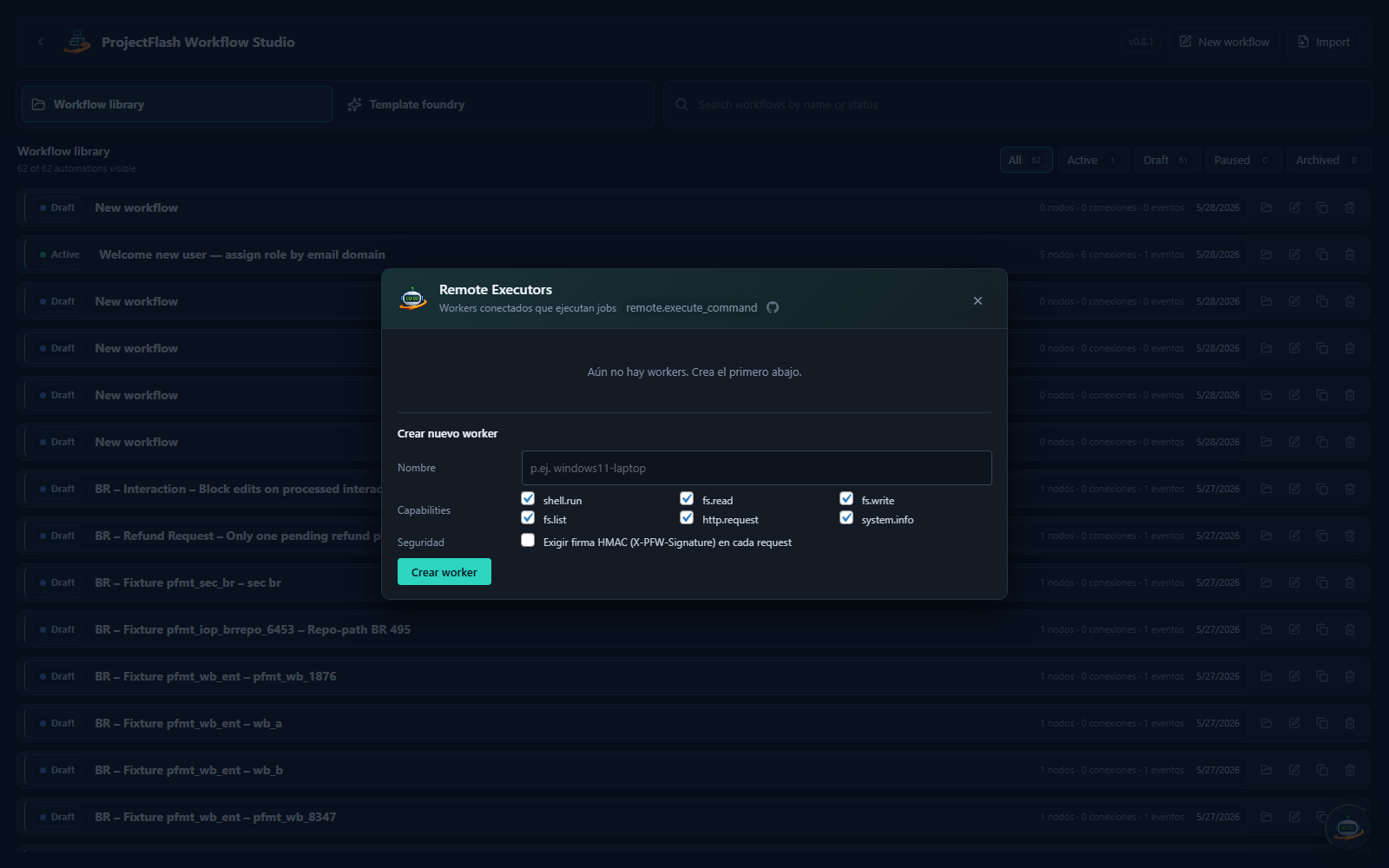
- Go to PF Workflow → click the executor badge (bottom-right floating button)
- Click "Create Worker"
- Give it a name and select which capabilities to grant: -
shell.run— run system commands -fs.read/fs.write/fs.list— filesystem access -http.request— make outbound HTTP requests -system.info— read system information - Copy the bearer token (shown only once after creation)
- Paste it into your wp-executor
config.toml
Worker management
| Action | Description |
|---|---|
| Rotate token | Generates a new bearer token. Old token is invalidated immediately. |
| Enable / Disable | Temporarily stop a worker from claiming jobs. |
| Delete | Permanently remove a worker. |
Security
- Workers authenticate via bearer token
- Optional HMAC request signing (
sign_requests = truein config.toml) - Per-worker capability whitelist
- Lease-based job claiming (60s default)
- Heartbeat-based lease extension