














WP-PFAgent
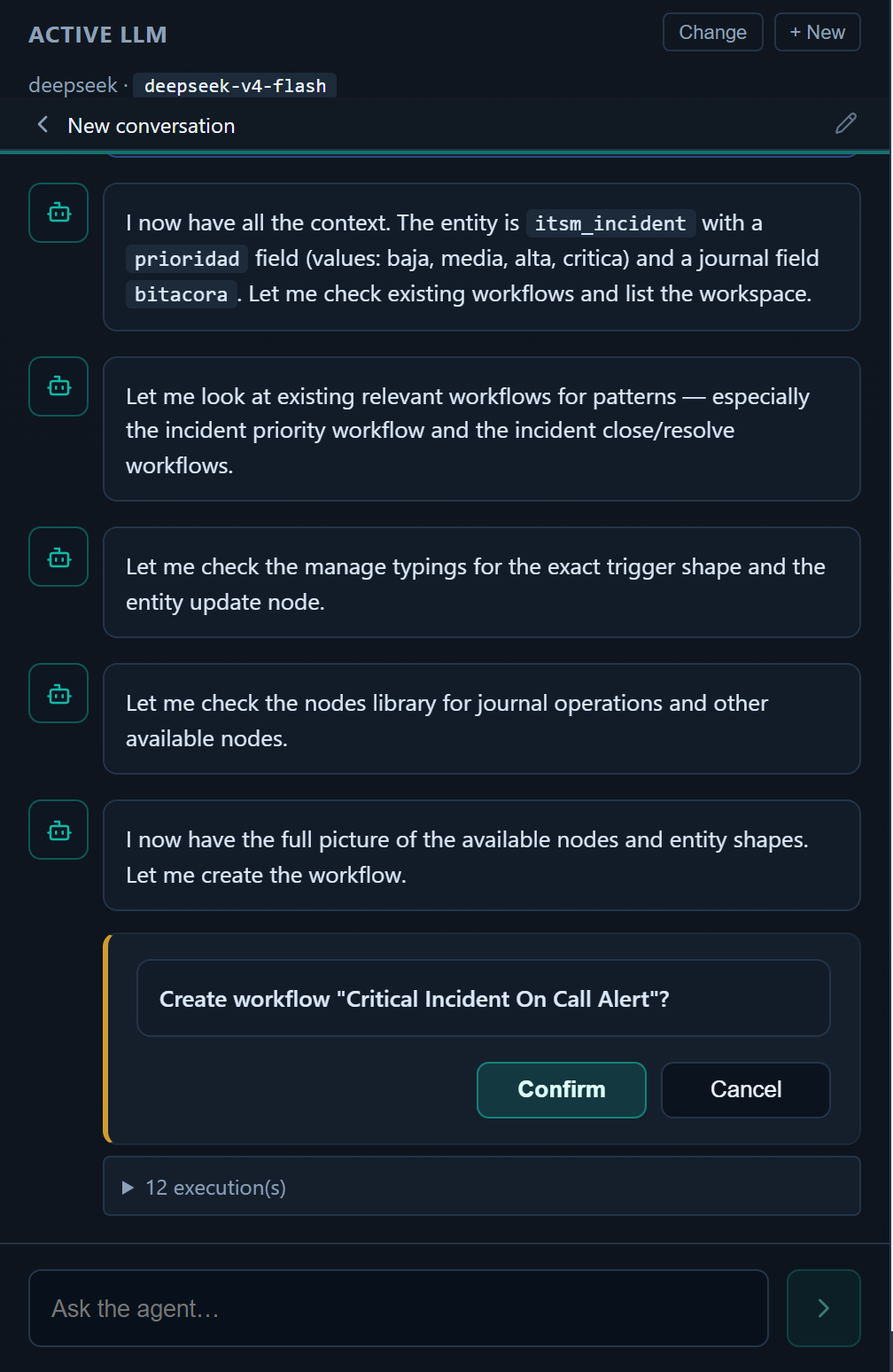
WP-PFAgent is a natural-language interface that sits on top of WP-PFWorkflow. You describe what you want in a sentence; the agent picks the right tools, drafts a workflow, asks you to confirm any side effects, and runs.
It works on its own — managing WordPress core (posts, pages, media, users, comments, taxonomies, menus, settings) and your popular plugins (WooCommerce, SEO, forms, and more) directly. When the rest of the Setyenv suite is installed, the same agent also becomes the conductor layer for WP-PFManagement and WP-PFWorkflow.
What you can ask it
- "When a WooCommerce order is over 200 EUR, draft a thank-you note with the customer's purchase history, send it via my SMTP, and log it as a note on the order."
- "Show me every workflow that uses the OpenAI connection."
- "Run the lead-scoring workflow against this JSON: {...}".
- "The 'thank big orders' workflow failed three times today — read the latest execution and tell me why."
- "Add a delay of 24h between the AI node and the email node in the 'follow up' workflow."
The first one BUILDS something new. The next ones INSPECT or MODIFY something existing. The agent does both. The dividing line is the side-effect confirmation gate — read-only requests run immediately, write/run/send/delete requests pause and ask you to approve before executing.
Bring your own LLM
WP-PFAgent never proxies your LLM traffic through a Setyenv server. You configure providers (OpenAI, Anthropic, Gemini, etc.) with YOUR API keys. The agent calls those providers directly from your WP server.
That means:
- Your costs go to your LLM provider account, not to us.
- Your conversation content never crosses a Setyenv network.
- You can mix providers — different workflows / sessions can use different models.
Built-in presets cover the major providers — OpenAI, Anthropic, Gemini, DeepSeek, Qwen, Grok — plus a generic "OpenAI-compatible" preset for anything else exposing that API shape.
Cost
WP-PFAgent is free and open-source (GPL-2.0-or-later). There is no licence key and no account: you bring your own LLM provider, so the only cost is whatever that provider charges for the calls you make. The optional Setyenv suite (WP-PFManagement / WP-PFWorkflow) adds the data-modelling and workflow-automation surfaces on top.
Where to go from here
- First time using it: Getting started
- Understanding the architecture: Concepts
- Connecting your LLM provider: Providers
- The tools the agent has: Tools
- Why the agent asks before doing things: Side-effect confirmation gate