














Dialogs
A Dialog is a multilingual message plus one button per path shown on a record — and each path invokes an Action. Where an Action is a single button, a Dialog is the branch point: the user reads the message and chooses among several paths, and the chosen path fires its Action.
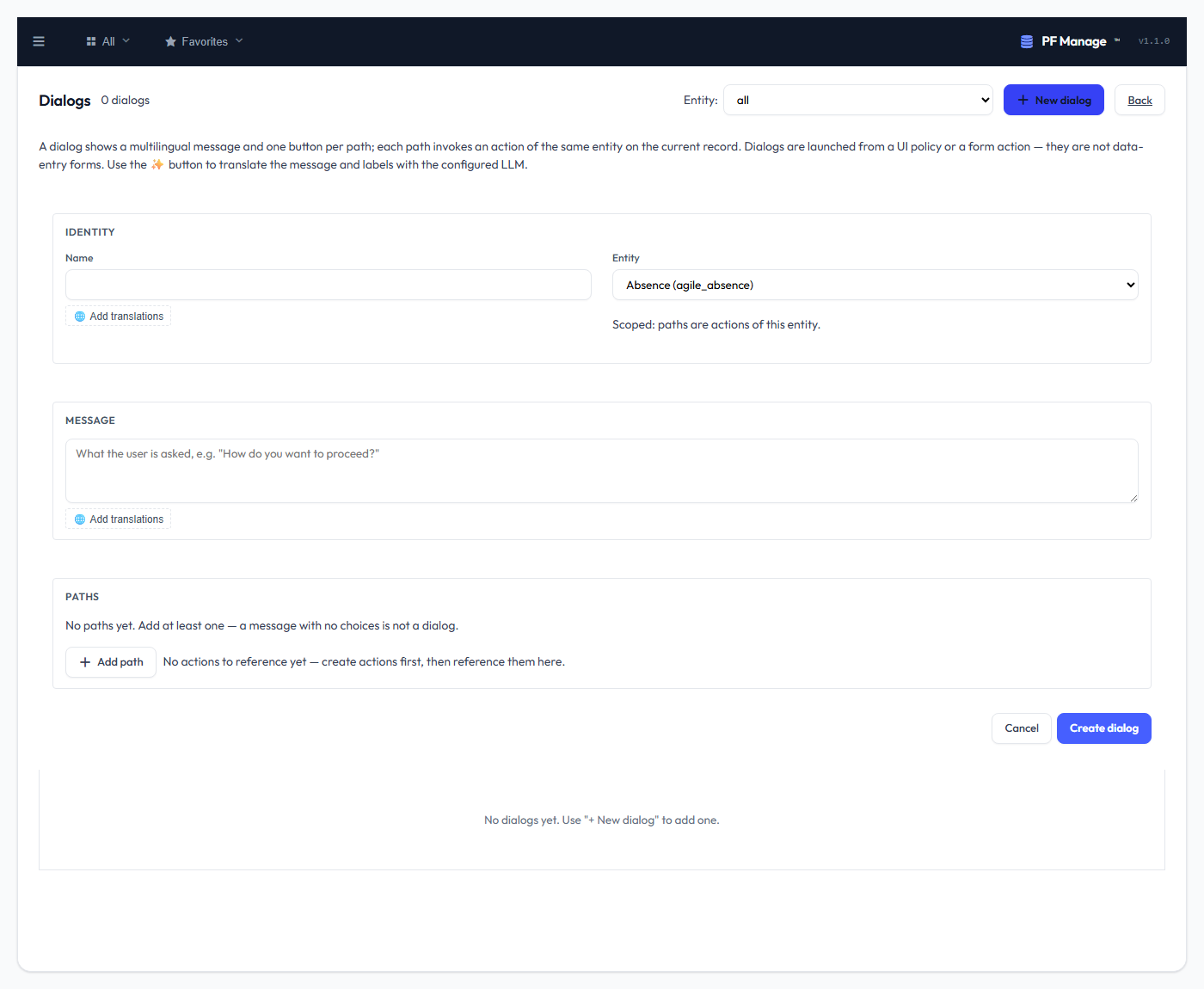
Dialogs are a first-class governance surface with their own admin menu and native CRUD, alongside Actions, UI Policies and Business Rules. A Dialog is not a data-entry form — it asks a question and branches.
Anatomy
| Property | Description |
|---|---|
| Name | Identifier + label (with locale support) |
| Entity | Optional — see below |
| Message | The multilingual prompt the user reads |
| Paths | One or more branches, each: a label (multilingual), an Action, and a button style (primary / secondary / danger) |
Optional entity (scoped vs reusable)
The entity is optional, and that choice decides how a Dialog resolves its paths:
- With an entity — the Dialog is scoped to it. Each path references an Action of that entity, and the Dialog runs against a record of it.
- Without an entity — the Dialog is reusable / entity-agnostic. The entity + record context is supplied by whatever consumes the Dialog (below); each path resolves its Action in that context, and a path whose Action isn't available there simply doesn't render — no dead button.
Translations (reuses the PFM LLM)
The message and every path label are multilingual. Translate them with the same LLM configured in your PFM locales that the rest of the platform uses — the ✨ button in the editor fills every locale in one click. Nothing new to configure; it reuses the existing localisation mechanism.
Consumption — exactly two entry points
A Dialog is never shown on its own. It is launched from one of two places:
- A UI Policy — a policy can launch a Dialog on an existing record.
- A form Action — a form's Action can open a Dialog instead of firing directly.
When the user picks a path, that path's Action is invoked through the normal action pipeline — the same governance applies: the entity read gate, the Action's role gate, its EQL filter, and the audit trail. A Dialog adds a branch point; it never widens what an Action is allowed to do.
about Actions — roles, EQL visibility, the fired hooks, workflow wiring —
carries over unchanged. A Dialog is just how a user chooses which one runs.