














WP-PFWorkflow
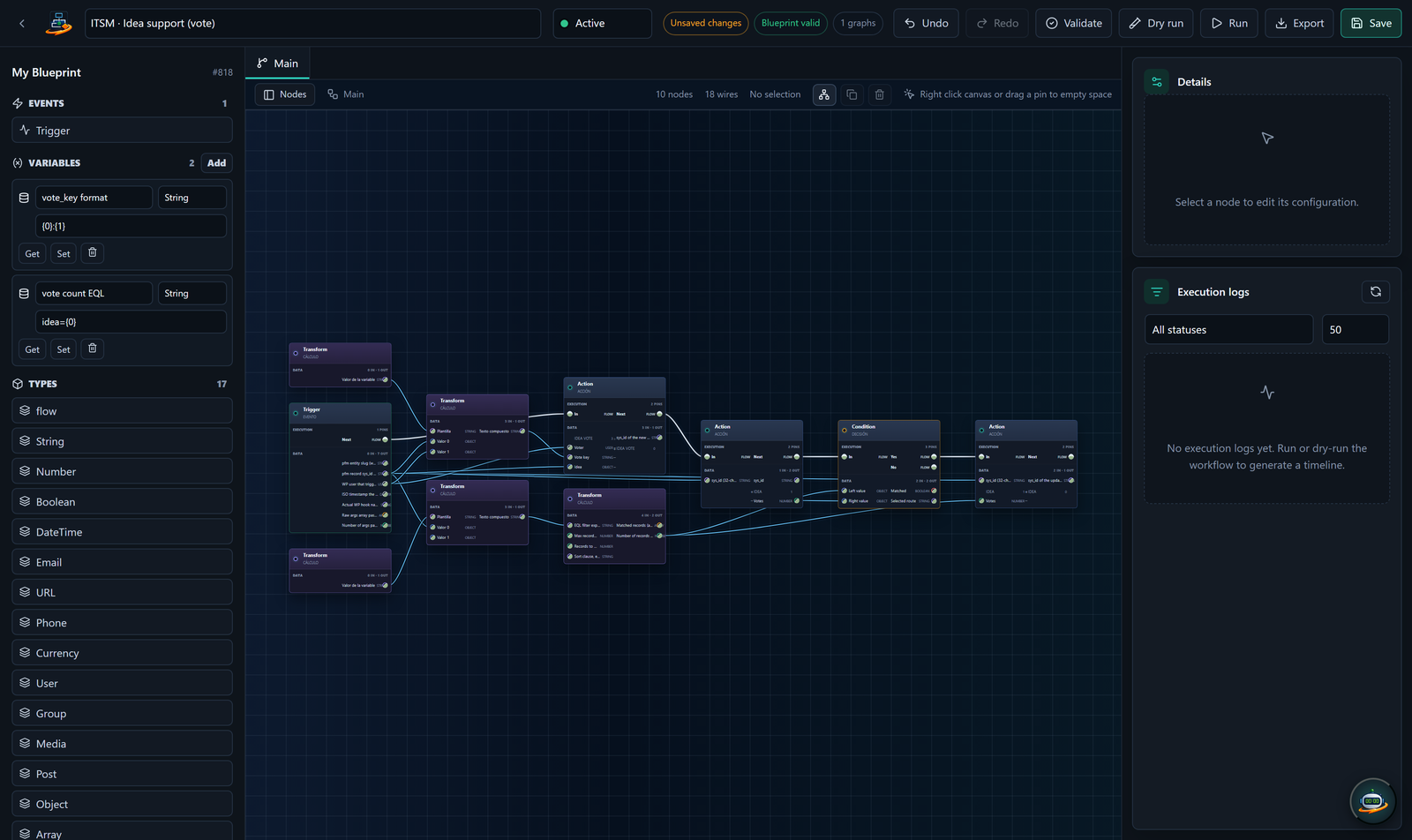
WP-PFWorkflow is a visual automation engine that runs inside your WordPress install. You drag triggers, conditions and actions onto a canvas, connect them, and the engine runs the resulting graph every time the trigger fires.
It is the engine layer of the three Setyenv plugins. Use it on its own to automate things on your own WordPress site, or pair it with WP-PFAgent to drive it through natural language, or with WP-PFManagement to react to structured record events.
What you can build with it
- E-commerce automation: when a WooCommerce order is over 200 EUR, draft a thank-you note with the customer's purchase history (via the AI node), send it through your SMTP, and log it as a note on the order.
- Lead routing: when a Gravity Forms submission contains the word "demo", create a record in your CRM, post a message to Slack, and schedule a follow-up email in 24 hours.
- Content workflows: when a post is published in the "newsletter" category, render its excerpt through a template, push it to MailPoet, and mark a custom field as
sent. - Operational glue: every Monday at 09:00, query the orders from last week, generate a CSV, attach it to an email and send it to the bookkeeper.
Anything that fits the shape "when X happens, do Y, then Z, with a condition in between" is a workflow.
What makes it different from the alternatives
The honest comparison.
vs. Zapier / Make / n8n / Workato: those are external SaaS that see your data. WP-PFWorkflow runs inside your WordPress — none of your data crosses a network boundary unless YOU put a node that sends it out. Cost model is also different: you pay per seat (per WP site), not per workflow run.
vs. WordPress automation plugins (Uncanny Automator, AutomatorWP, SureTriggers): those are mostly "trigger + recipe" engines that don't have a real execution model. WP-PFWorkflow has a proper queue, retries with exponential backoff, replay from any node, structured timeline, and idempotency locks. You can debug a failed execution the way you would debug an HTTP request.
vs. coding it yourself with WP hooks: you can absolutely write add_action('woocommerce_order_status_completed', ...) and do what you need. WP-PFWorkflow gives you the visual editor + execution timeline + retry semantics without writing PHP, and your less- technical teammates can read and modify what's running.
How licensing works
Two editions of the same code: the Community Edition runs with no key, free for personal and non-commercial use; the Enterprise Edition is the subscription for commercial use, one key for WP-PFWorkflow and WP-PFManagement together, covering as many domains as you choose. See Community & Enterprise for activation, moving the key between sites and what happens when a subscription ends.
Where to go from here
- First time using it: Getting started
- Reading the rest of these docs: Concepts
- Looking for a specific node: Nodes catalog
- Integrating from your own code: REST API