














Branding & themes
Make the Management app your own: pick a colour theme, add your logo, and rename the product in the admin chrome. Branding is per-site and applies to the whole Management SPA.
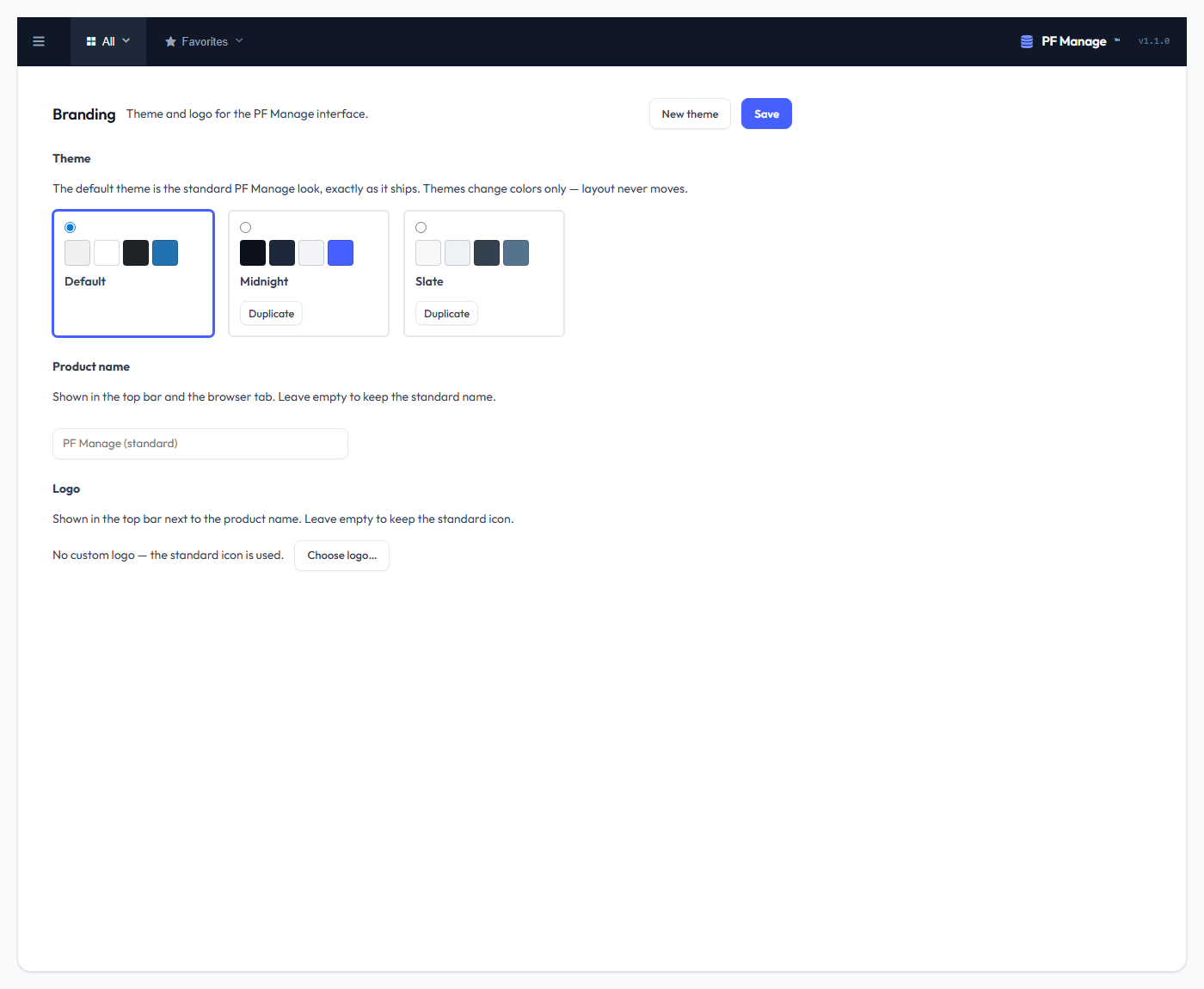
Themes
Management ships three built-in themes — Default (light), Midnight (dark) and Slate — and you can duplicate any of them into your own custom theme (up to 20). A theme is a set of 12 colour tokens:
| Group | Tokens |
|---|---|
| Surfaces | page background, surface, alternate surface, sidebar |
| Text | text, muted text |
| Accent | accent, accent text, link |
| Controls | border, input background, hover background |
The tokens are applied as CSS custom properties scoped to the app, so a theme can only ever recolour Management — it can never break the layout or leak into the rest of wp-admin. Factory themes are tuned to WCAG AA contrast, and each theme declares its color-scheme (derived from the background) so native controls — checkboxes, date pickers, scrollbars — match a dark theme instead of rendering light-on-dark.
Logo & product name
- Logo — upload an image (from the WordPress media library) shown in the app header in place of the default mark.
- Product name — override the "PF Manage" label in the admin chrome with your own.
Where it lives
All branding is one site option (pfm_branding): the active theme slug, the logo attachment id, the product name, and your custom themes. It is staff-only and has no effect on stored data — it is purely presentation.